Run the property. Not the paperwork.
Compounds, apartment blocks, student hostels, short-lets by the beach. Rentloop holds the properties, the tenants, the rent, the maintenance and the records, so none of it lives in a WhatsApp group.
- Free for up to 3 units, forever
- Long-term agreements and short stays
- Online, bank and cash payments
- Every payment invoiced, receipted and logged
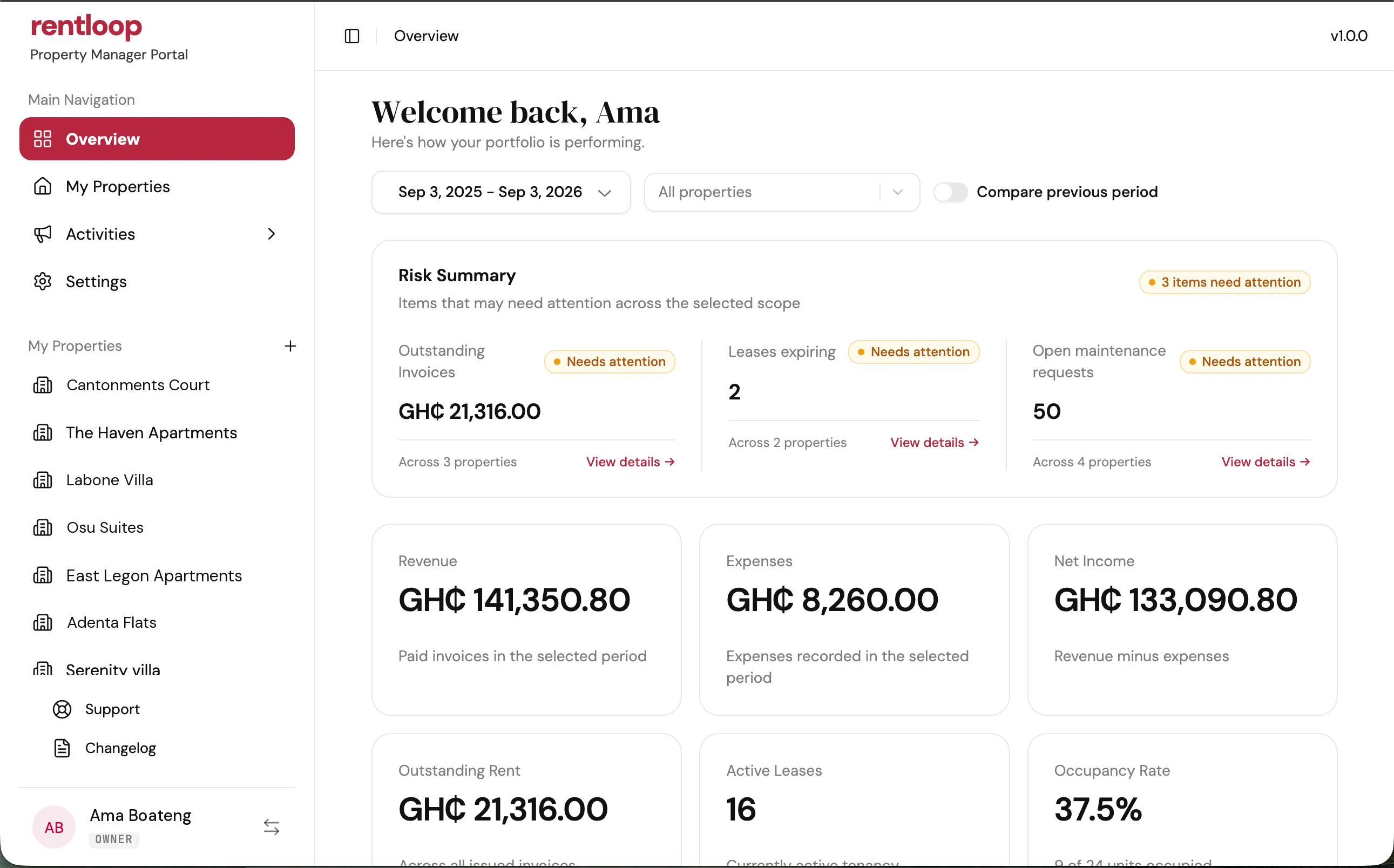
The first screen tells the whole story.
The numbers that matter, in the order you actually check them. Open the app, glance, get on with your day.
Analytics at a glance
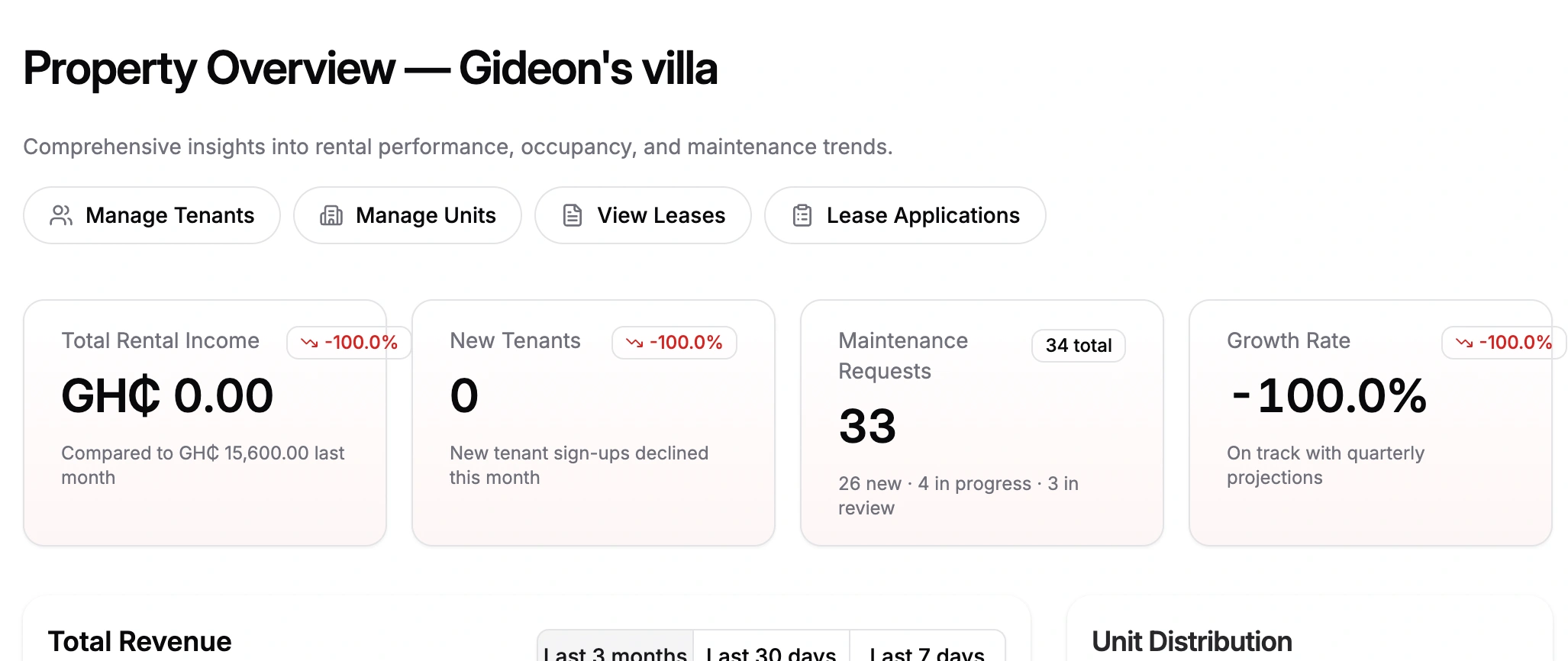
Revenue, occupancy rate, active rentals and month-over-month growth, laid out as tiles you can scan in seconds.
- Live revenue
- Occupancy rate with a visual breakdown
- Active and expiring rentals
- Month-over-month growth with trends
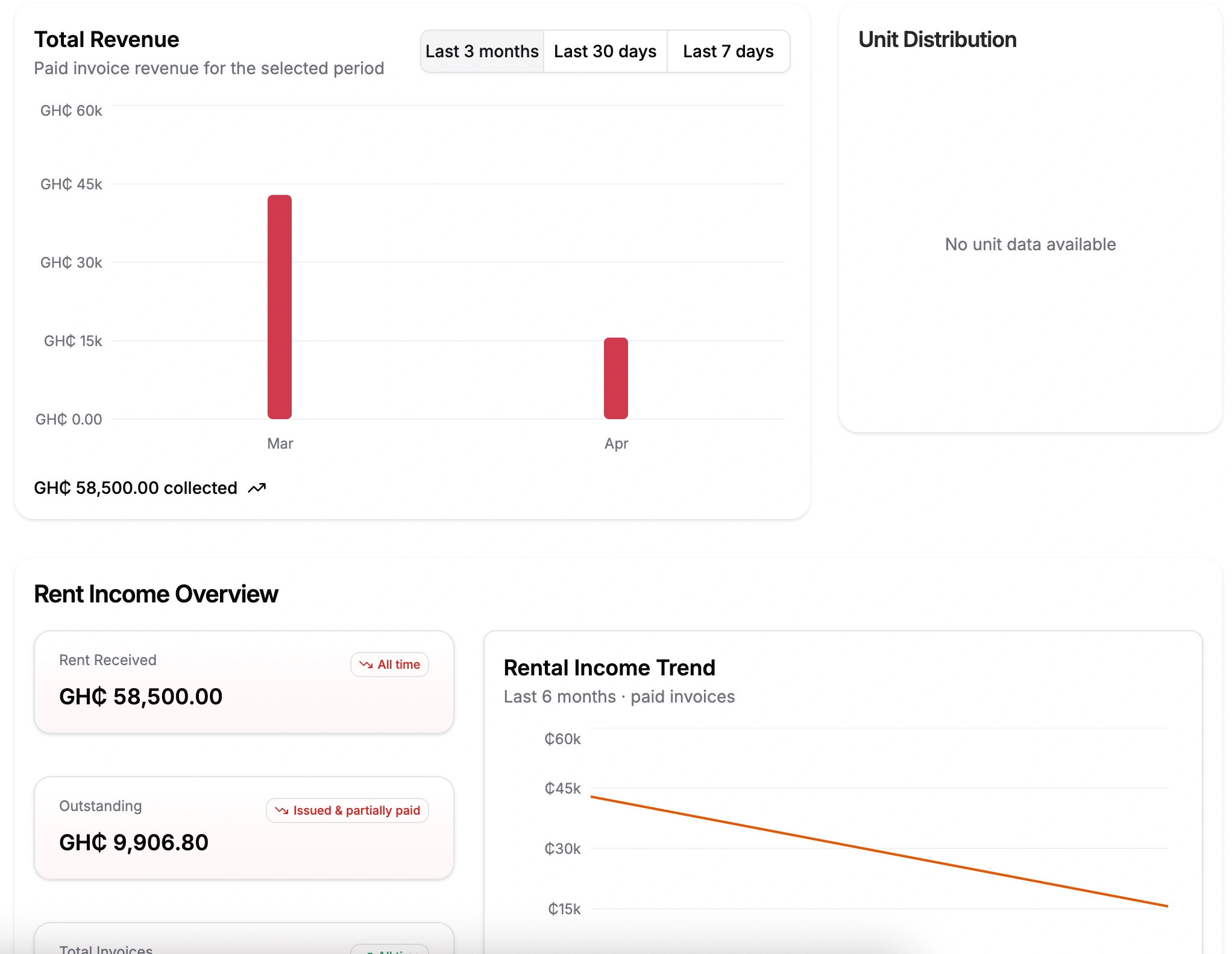
Revenue trend
Rent collected per month, broken down by property. Click through to the ledger behind any month.
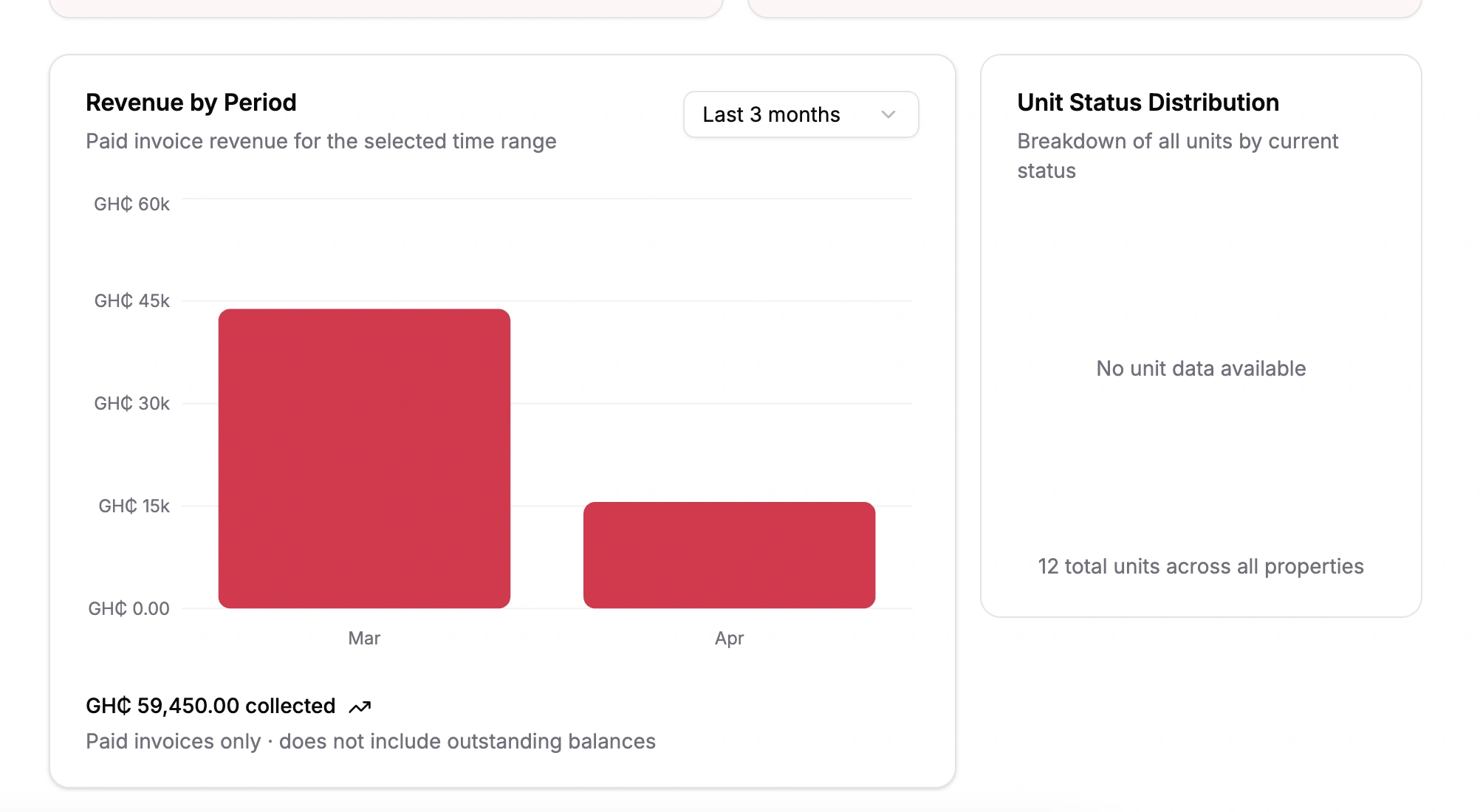
Unit status
Occupied, vacant, on-notice and under-maintenance units in one chart. Tap a slice to jump to that filter.
From a single flat to a 200-unit complex.
Rentloop handles a one-bedroom in East Legon and a large complex on the Spintex road the same way.
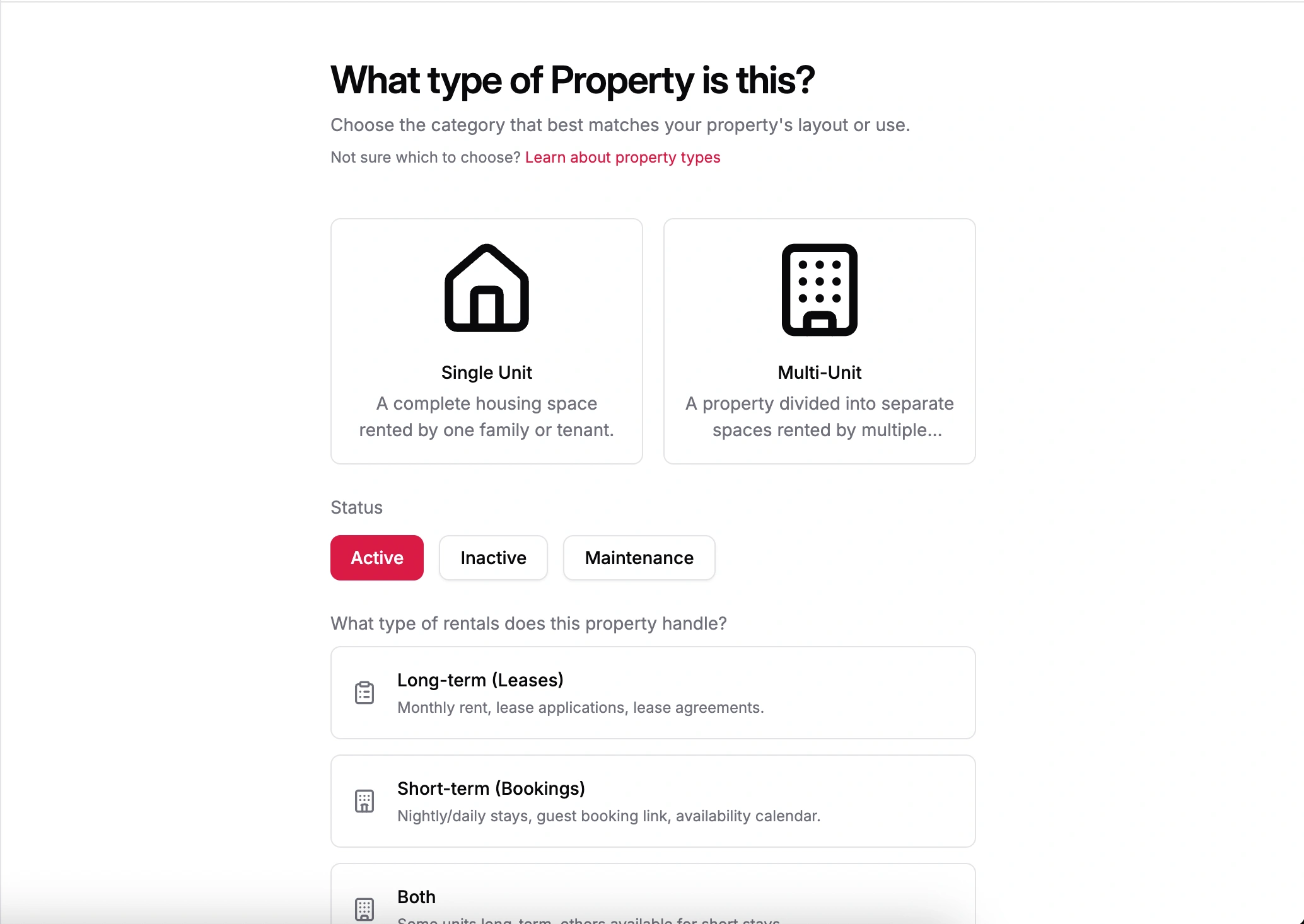
Create and edit properties
Single-unit or multi-unit. Rental agreement mode for long stays, guest booking mode for short stays. Switch modes whenever your business does.
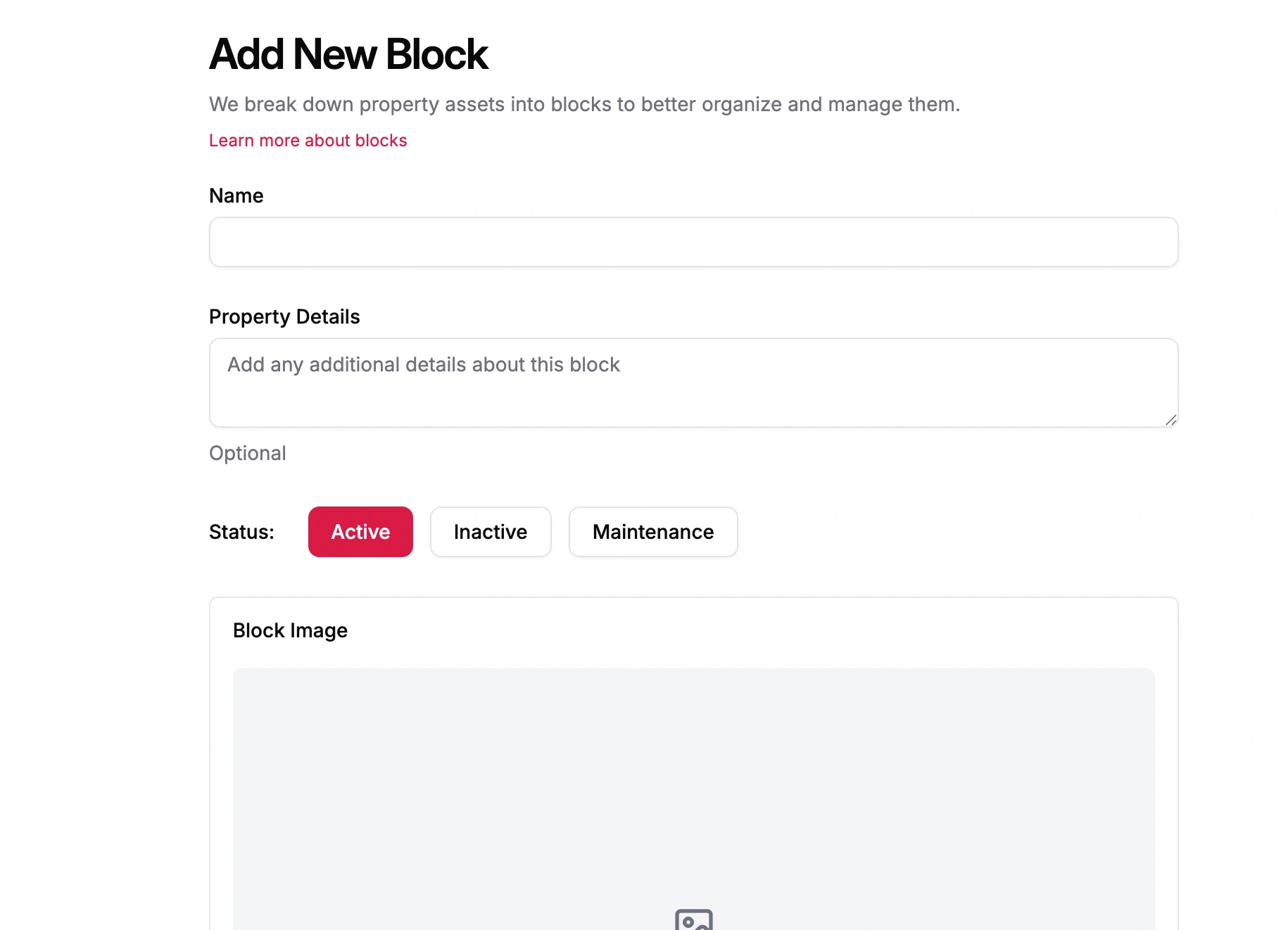
Blocks, wings and sections
Organize a big property into named blocks, whatever your team calls them, for cleaner navigation, reporting and per-block permissions.
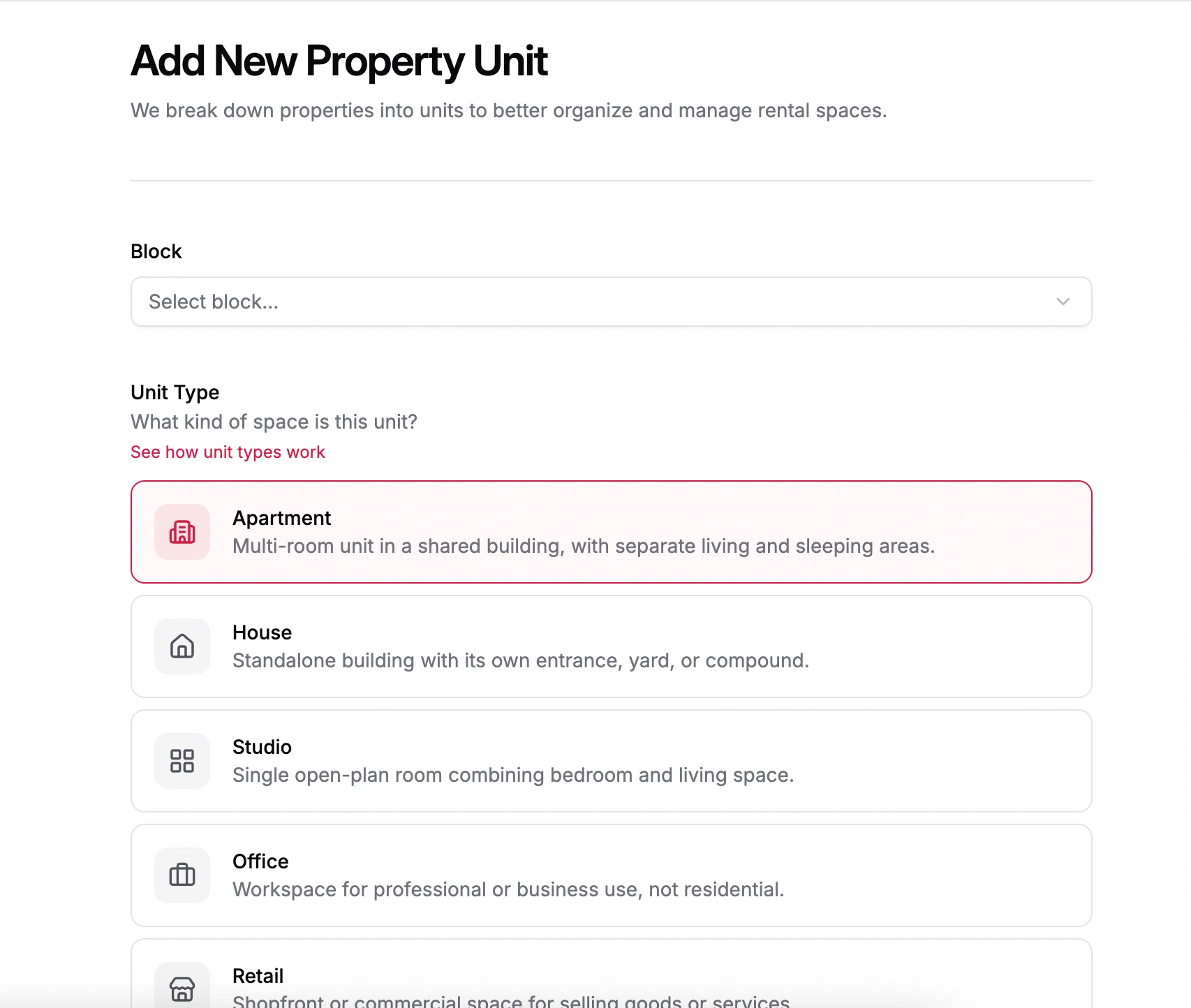
Manage units
Type, status, rent, images, features and rules. Every unit has a full record, and bulk edit handles the rest when you have 40 of them.
Where tenants become residents.
Everything between “I saw your ad” and “I’m moving out”: applications, rental agreements, e-signatures, guest bookings and calendars.
Rental application workflow
A guided pipeline from applicant to move-in. No more pasting details from email.
- Applicant details with verification
- Unit selection with availability check
- Financials and deposit calculation
- Document upload and review
- Move-in checklist and handover
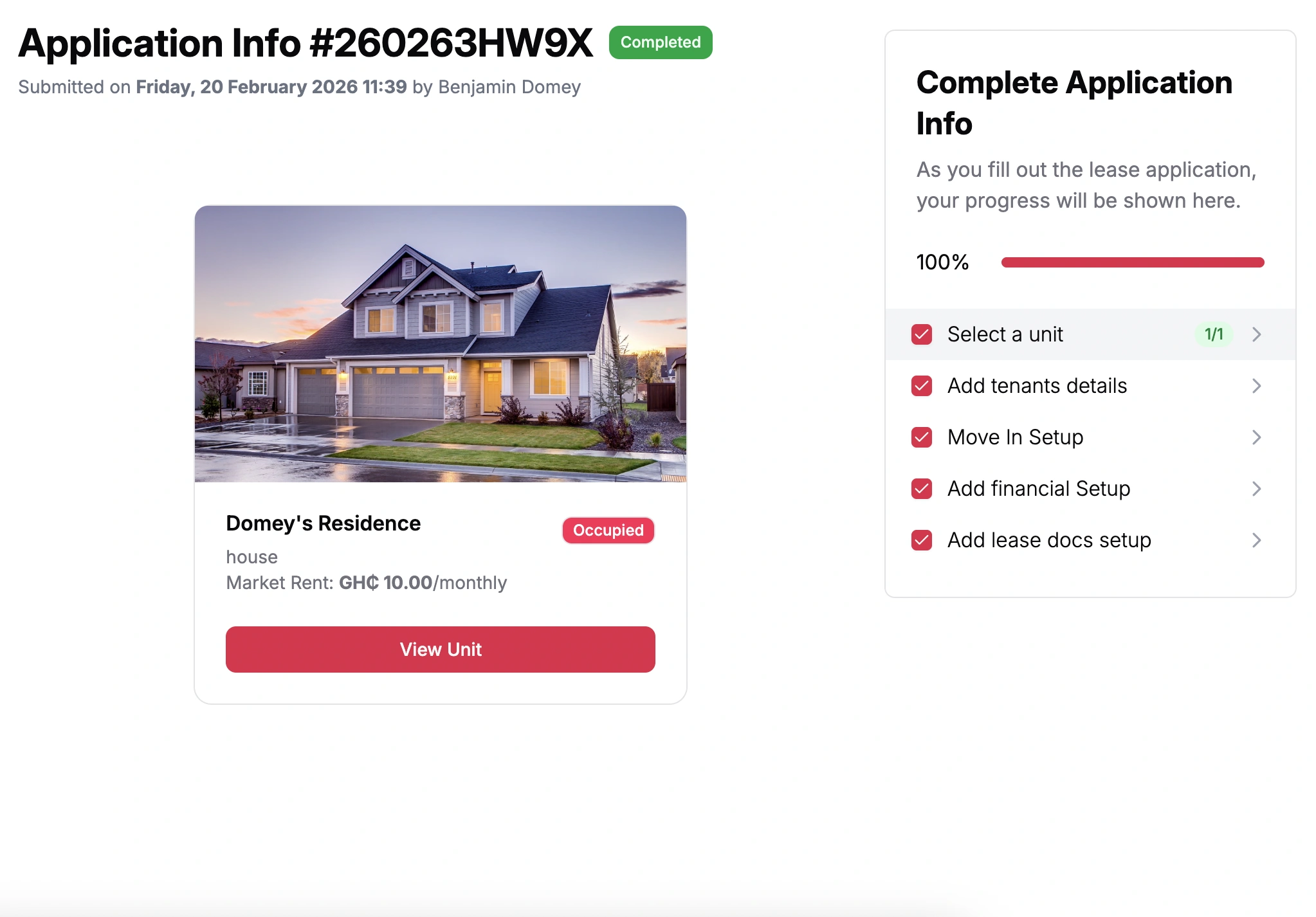
Tenant directory
Searchable profiles with activity, payment history and maintenance history side by side. The full picture, one click in.
Agreements and e-signature
Write the rental agreement in a rich text editor or start from a template, collect e-signatures from both sides, and keep the signed PDF.
Active rentals and bulk onboarding
See every active rental at a glance. New building? Import tenants in bulk from a CSV and send their invites automatically.
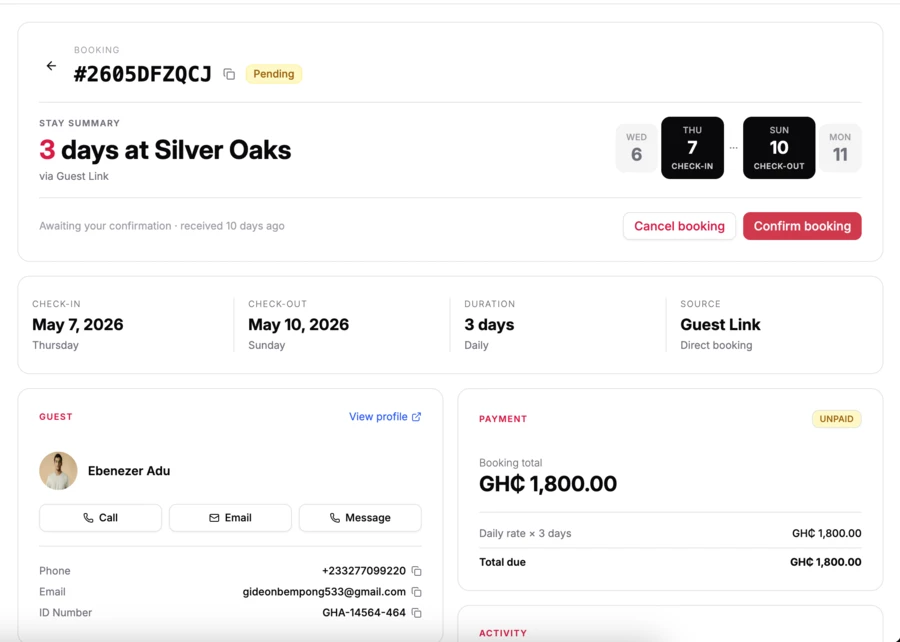
Guest bookings
For short stays on properties in guest booking mode: check-in, check-out, cancellations and refunds without leaving Rentloop.
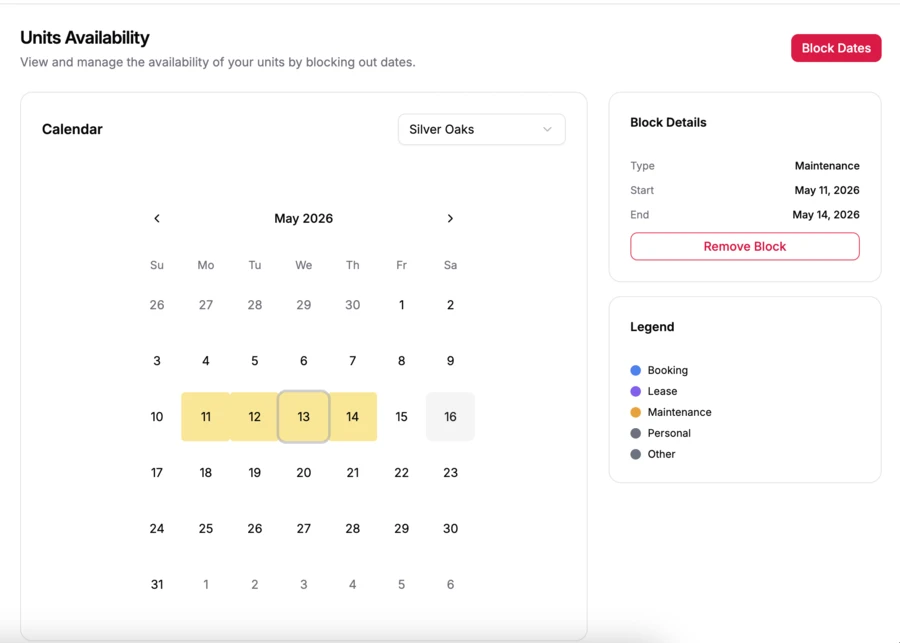
Unit availability calendar
A month view of what is booked, vacant or on notice, per property or across your whole portfolio.
The day-to-day, finally organized.
Maintenance requests and announcements: the two things tenants will message you about today.
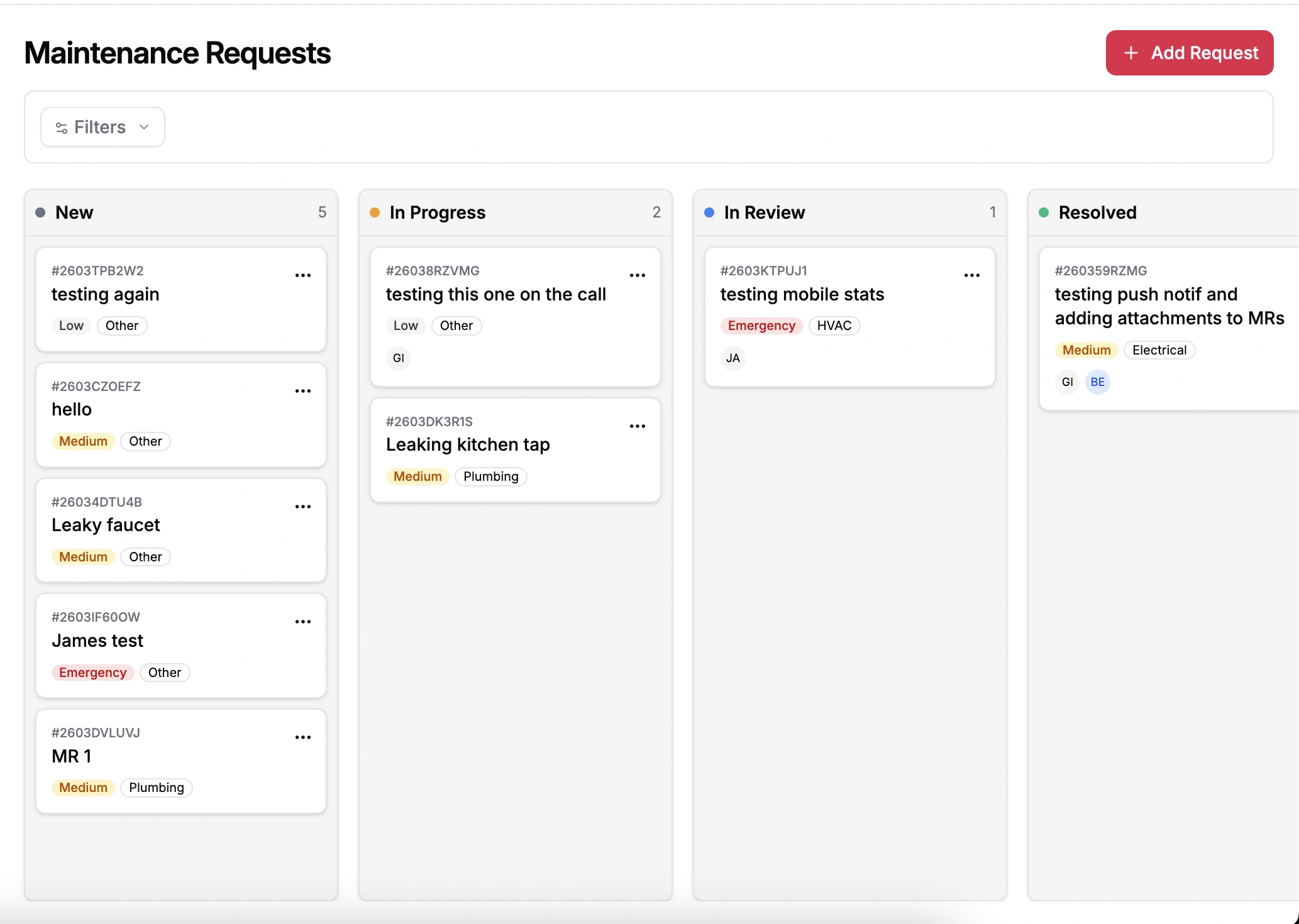
Maintenance board
Every request moves through New, In Progress, In Review and Resolved. Drag, assign, comment and attach photos.
- Drag-and-drop board
- Photo attachments and internal comments
- Status updates tenants can see
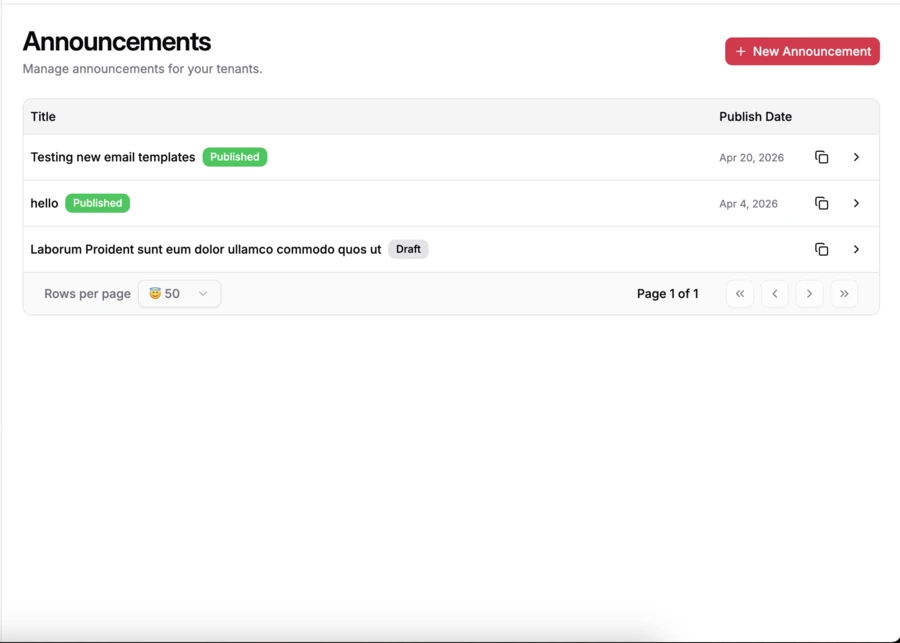
Announcements
Broadcast to one property or all of them. Save templates for the things you announce every month, like water tankers, fumigation and rent reminders.
- Per-property or global
- Reusable templates
- Scheduled sends
Every payment, accounted for.
Invoices, payments and expenses, done in a way that doesn’t make you wish you’d hired an accountant.
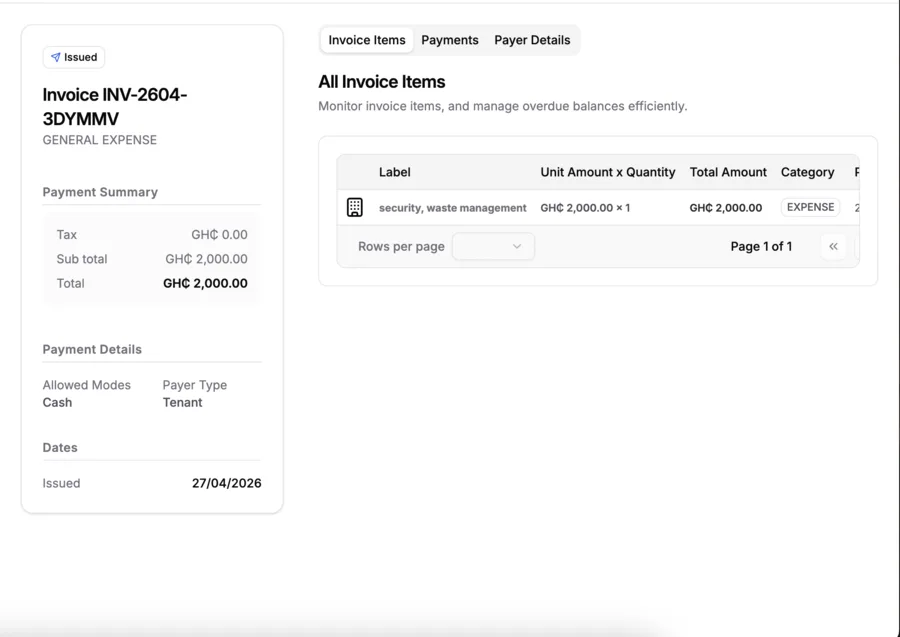
Invoices
Recurring rent invoices generate automatically; create one-offs by hand. Mark them paid when the money clears.
- Track payments and balances
- Void with an audit trail
- Send in-app, by email or on WhatsApp
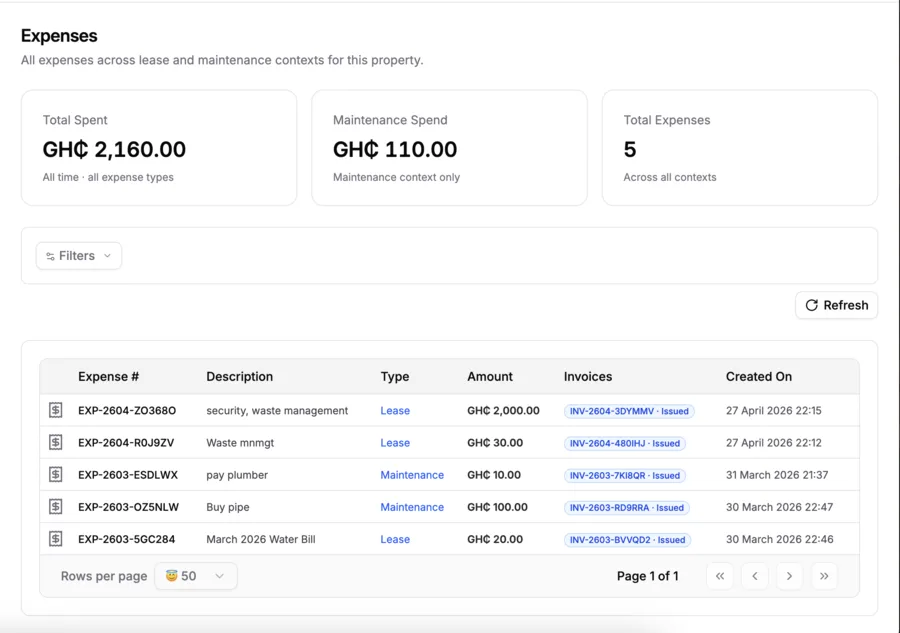
Expenses
Log repairs, supplies and agent fees, categorized and tied to a rental or a property. Profit and loss by property stops being a manual job.
- Custom categories
- Receipt attachments
- Export to CSV for your accountant
Tuned for your business.
Organization-wide settings with per-property overrides, roles for your team and document templates.
Organization
Team members with Admin, Manager and Staff roles, payment account routing, billing and a library of document templates.
Property level
The same settings, scoped to a property and inherited from the organization by default. A different agreement template or payment account per building is one change.
Personal account
Profile, phone, password, two-factor authentication, active sessions and notification preferences, in a place you can find.
How a Tuesday goes now.
The point of Rentloop is everything you don’t do anymore. Here’s what’s left.
Open the dashboard
Three invoices were paid overnight.
Approve a maintenance request
A leaky faucet in unit 3B moves from New to In Progress.
Send an announcement
Water tanker visit on Saturday. Pick the saved template, send it to one property.
Draft a rental agreement
New tenant for 2A. Load the template, fill in five fields, send for e-signature.
Log an expense
$240 for the plumber, tagged to unit 3B and attached to the maintenance ticket.
Close the laptop
No spreadsheets opened today.
Try it on one property. Or all of them.
Free for up to 3 units, forever. No card, no calls. We made it easy because we use it ourselves.